
Looking for a free iRacing overlay? RaptoRacing Overlay has a FREE plan for life: it never expires, it is not a few-day trial and you pay nothing. In this guide we show you how to get it, install it and have it on screen in a few minutes.
What the free plan includes
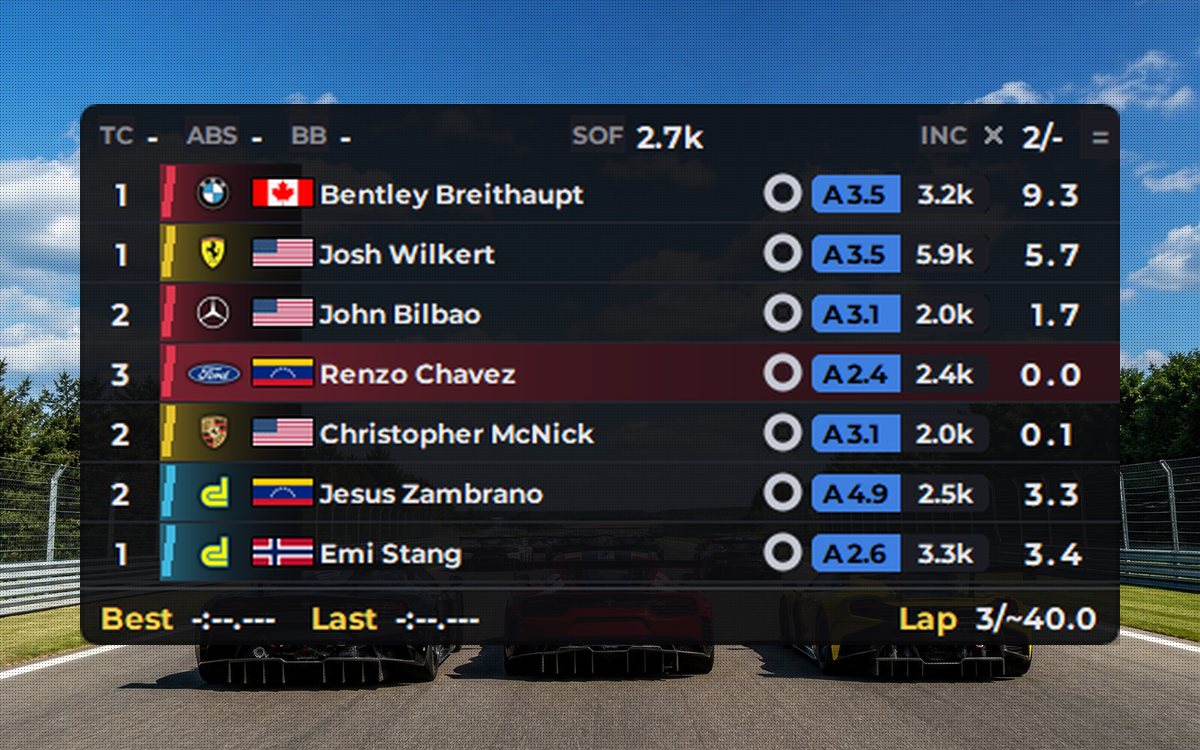
- Standings: the leaderboard with live iRating (how much you gain or lose if you finish where you are), license, Safety Rating, SOF, best and last lap.
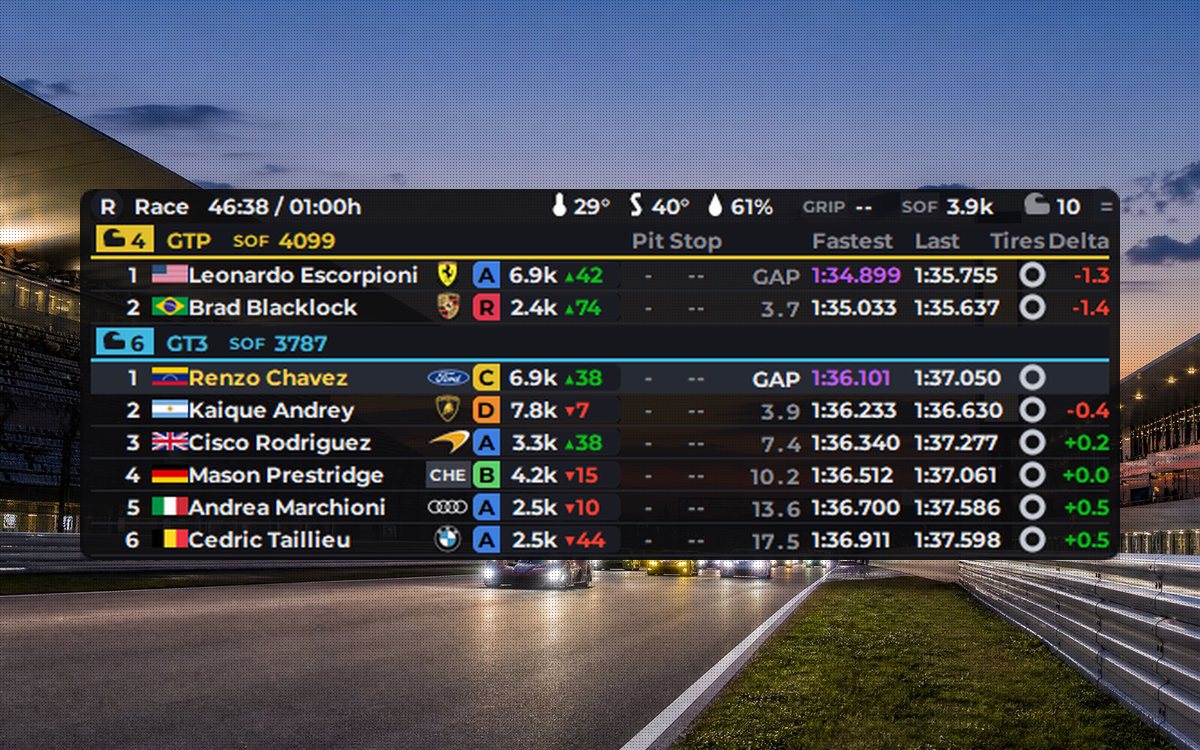
- Relative: the cars around you with the exact gap, class colors and lapped cars marked.
- Spotter bars: on the sides of the screen, they show how close the car next to you is.
- Track re-entry: if you stop off track, it tells you whether it is safe to rejoin or someone is coming.
- ABS light and traction loss light: they turn on when ABS kicks in or when the wheels spin.
Everything in English, Spanish and Portuguese, with automatic updates.
What you need
- A PC running 64-bit Windows 10 or 11.
- iRacing installed.
- An email address, where your key will arrive.
Step 1: get your free key
- Go to the iRacing overlay page.
- Choose the FREE plan and hit the checkout button.
- Enter your email. The total is 0: you pay nothing.
- Within seconds you get an email with your license key and the link to download the installer. If you don't see it, check your spam folder.
Step 2: download the installer
Click the download button in the email or go to the download page. Some browsers hold back new programs: if the file shows up flagged in your downloads list, choose Keep (in Edge and Chrome) or Allow download (in Firefox).
Step 3: install it
When you open the installer, the blue "Windows protected your PC" screen may appear with a single button, Don't run. It is not an error: Windows is wary of programs that few people have downloaded yet. Click the More info link and the Run anyway button appears. This only happens the first time.
The installer asks for your language and leaves a shortcut on your desktop.
Step 4: activate it
The first time you open the menu, it asks for the key you received by email. Paste it and you're done: it won't ask again on that PC.
Step 5: set up iRacing and turn on the overlays
- In iRacing's graphics options, choose borderless window. In fullscreen no overlay can show on top of the sim.
- In the overlay menu, pick the one you want (for example, Relative) and click TURN ON.
- Use MOVE to place it wherever you like; size and opacity are in its settings.
- Head out on track: the overlays show up on their own while you drive and hide in the garage and in the menus.
Troubleshooting
- I can't see the overlays in the sim: it is almost always fullscreen. Switch iRacing to borderless window.
- My antivirus deleted the installer: it sometimes happens with new programs. Restore it from quarantine or download it again from the download page.
- The email never arrived: check spam or write to us at [email protected].
Want more?
The PRO plan adds every other overlay: fuel calculator, telemetry inputs, pit stop, linear map, weather monitor, LED Bars, Telemetry Coach, Corner Coach, overlays on your phone over wifi, per-car profiles and streaming to OBS. You can upgrade whenever you want and cancel whenever you want. Also see which iRacing overlays you need to race.
Related guides: Best iRacing overlays: which ones you need · Are overlays allowed in iRacing? · RaptoRacing iRacing overlay