7 days
of the full PRO version
No card, no commitment.
When it ends you keep the lifetime FREE plan: Standings, Relative, Spotter bars and 3 more overlays.
Windows 10 or 11 · iRacing
🌐 In Spanish, English and Portuguese
✅ Works with iRacing
💬 Join our Discord
🌐 In Spanish, English and Portuguese
✅ Works with iRacing
💬 Join our Discord
🌐 In Spanish, English and Portuguese
✅ Works with iRacing
💬 Join our Discord
🌐 In Spanish, English and Portuguese
✅ Works with iRacing
💬 Join our Discord
🌐 In Spanish, English and Portuguese
✅ Works with iRacing
💬 Join our Discord
🌐 In Spanish, English and Portuguese
✅ Works with iRacing
💬 Join our Discord
🌐 In Spanish, English and Portuguese
✅ Works with iRacing
💬 Join our Discord
🌐 In Spanish, English and Portuguese
✅ Works with iRacing
💬 Join our Discord
🌐 In Spanish, English and Portuguese
✅ Works with iRacing
💬 Join our Discord
🌐 In Spanish, English and Portuguese
✅ Works with iRacing
💬 Join our Discord

The data you're missing during the race, without taking your eyes off the track.
Cancel whenever you want · FREE has no expiry date
7 days
of the full PRO version
No card, no commitment.
When it ends you keep the lifetime FREE plan: Standings, Relative, Spotter bars and 3 more overlays.
Windows 10 or 11 · iRacing
Every overlay and every tool
$3.99$3.99$1.99/mo
You save $23.94 a year
Billed monthly in USDPaying one year: $23.94 instead of $47.88
Cancel anytime · Money-back guarantee · Key by email in seconds
Bought during the beta? Your license stays lifetime, at no extra cost.
You'll get the installer and your license key by email.
All in one program: turn on the ones you want from the menu.
Everything in FREE, plus every other overlay, both coaches, the overlays on your phone or tablet, Profiles and Layouts, Auto Start and the Driver notebook.
 PRO
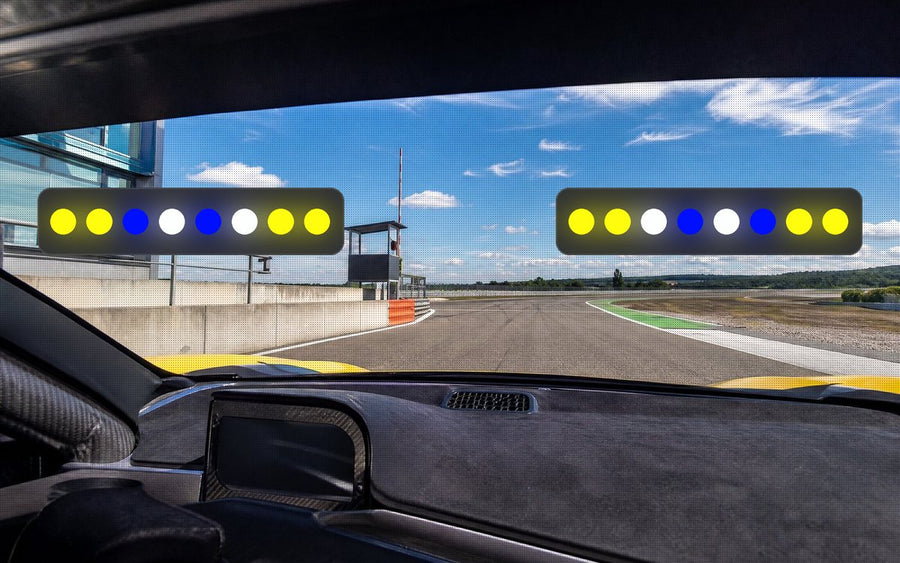
PROTwo light bars above the screen that warn you with color: flags, pit limiter, spotter, ABS and traction loss.
Read the manual →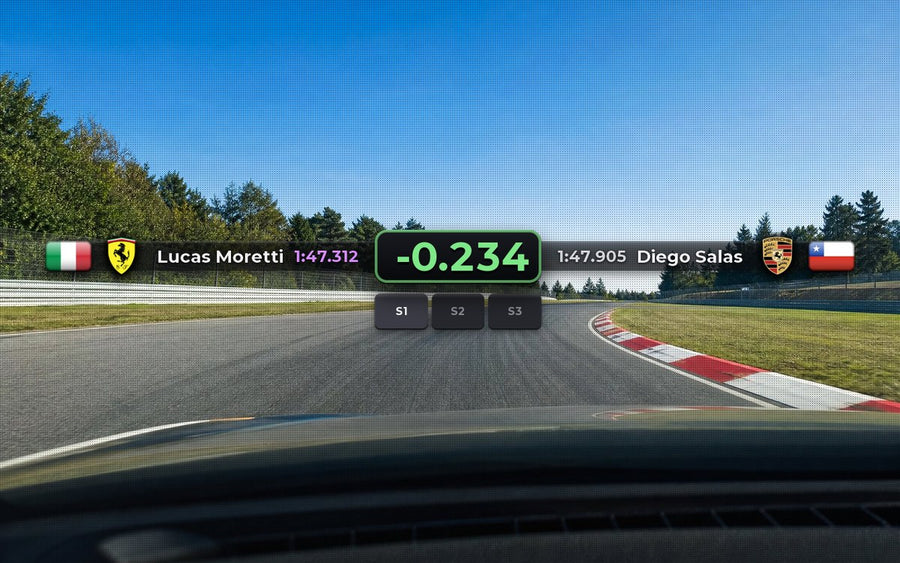 PRO
PROLive, how much you gain or lose against the best lap of the fastest driver in your class, with name, flag and car.
Read the manual →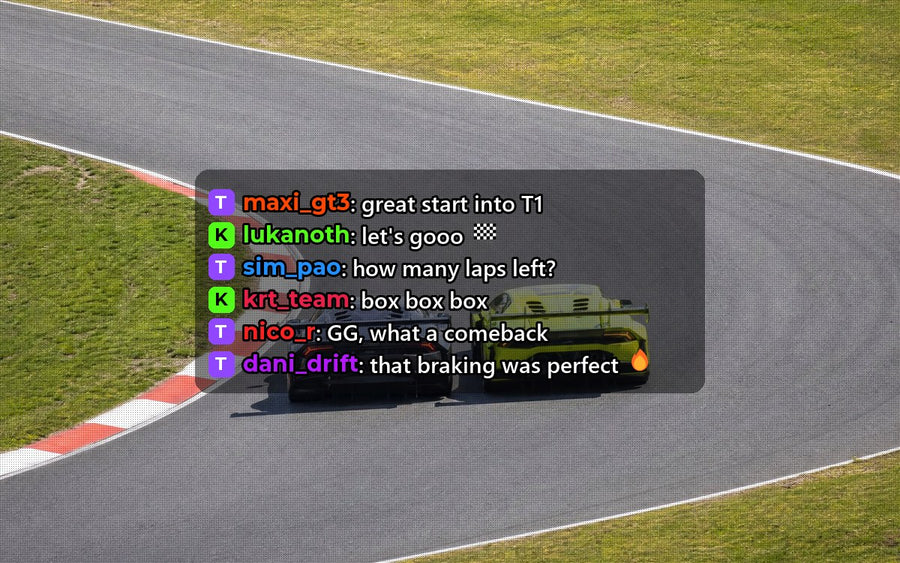 PRO
PROYour Twitch, Kick, YouTube and TikTok stream chat on top of the game, with the same channels and filters as the OBS multi chat.
Read the manual →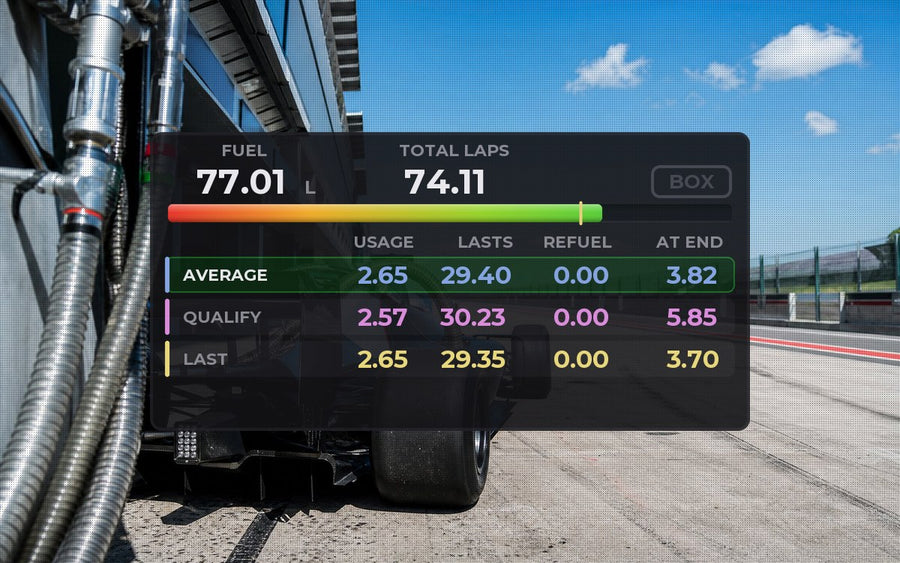 PRO
PROFuel per lap, laps left and how much to refuel, a BOX indicator, and a warning before the start if you are short on fuel. Also with a basic view.
Read the manual →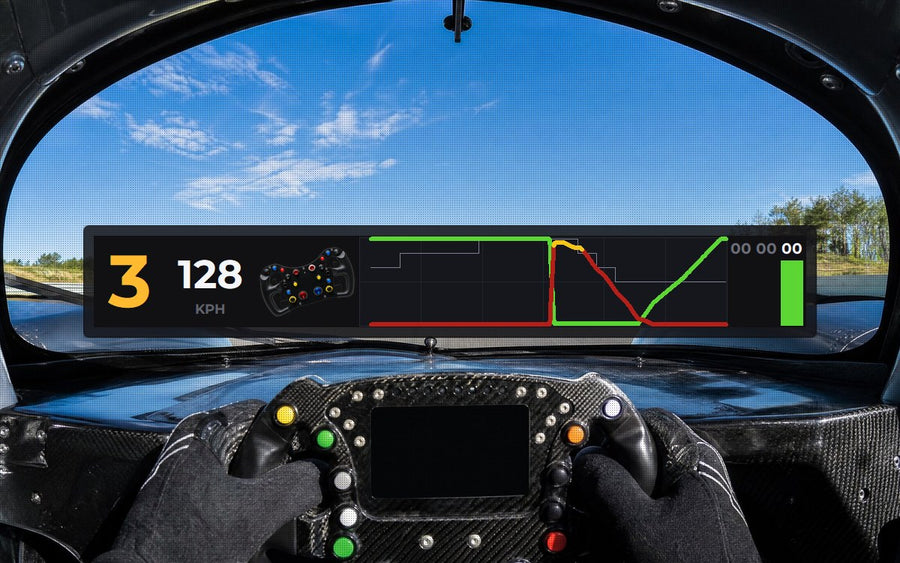 PRO
PROPedals, steering and gear live, to see exactly how you drive every corner.
Read the manual →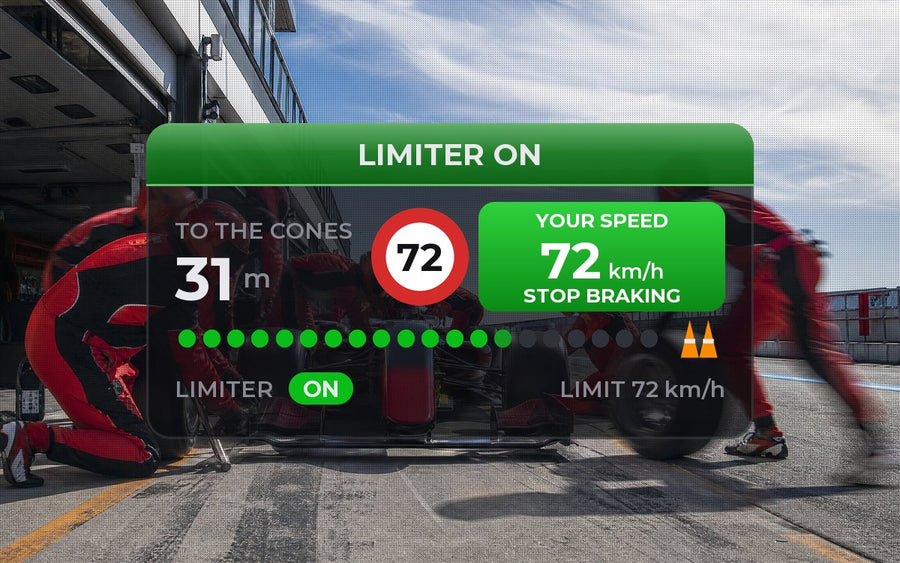 PRO
PROAt pit entry, the limit and your speed, which turns green when you reach it; the way to your box and the countdown to release.
Read the manual →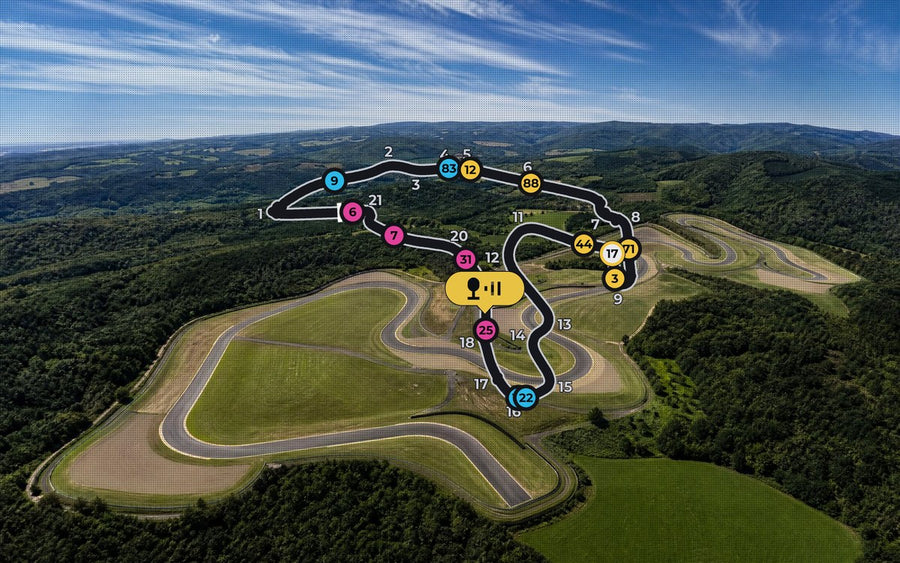 PRO
PROThe whole track with every car and every corner numbered, or the lap in a bar. Maps: (c) OpenStreetMap contributors.
Read the manual →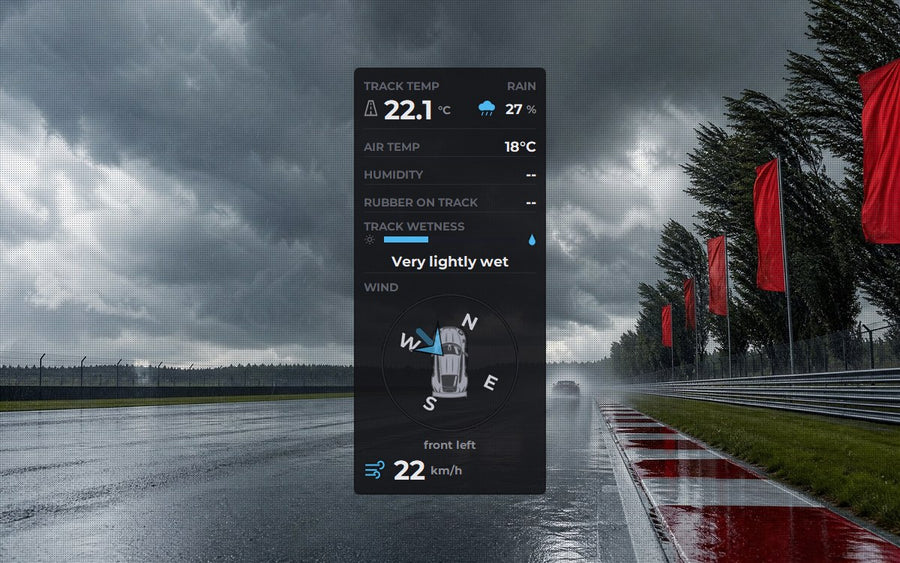 PRO
PROTrack temperature, dry or wet track, chance of rain, and wind direction relative to your car.
Read the manual →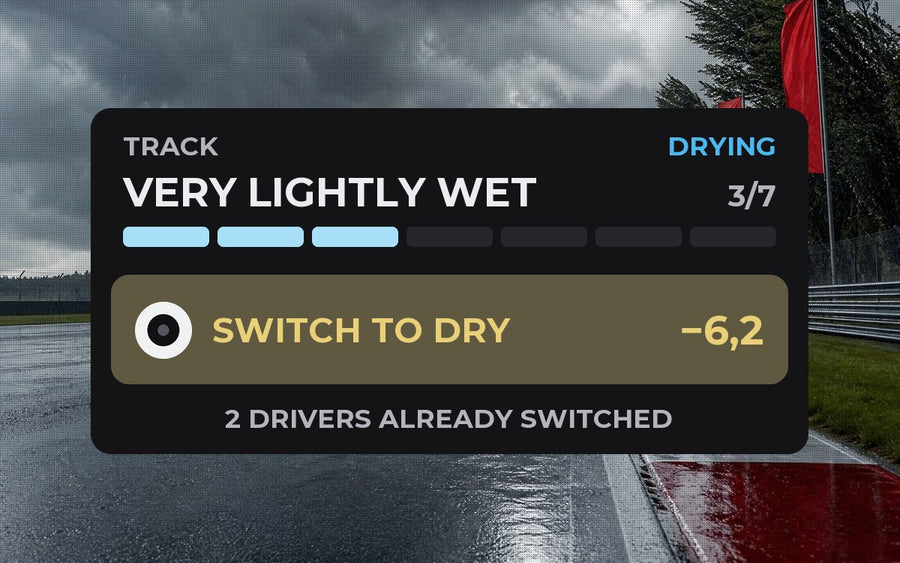 PRO
PROTells you which tire to start on and when to switch from wet to dry or back, from the track and your car, before everyone else.
Read the manual →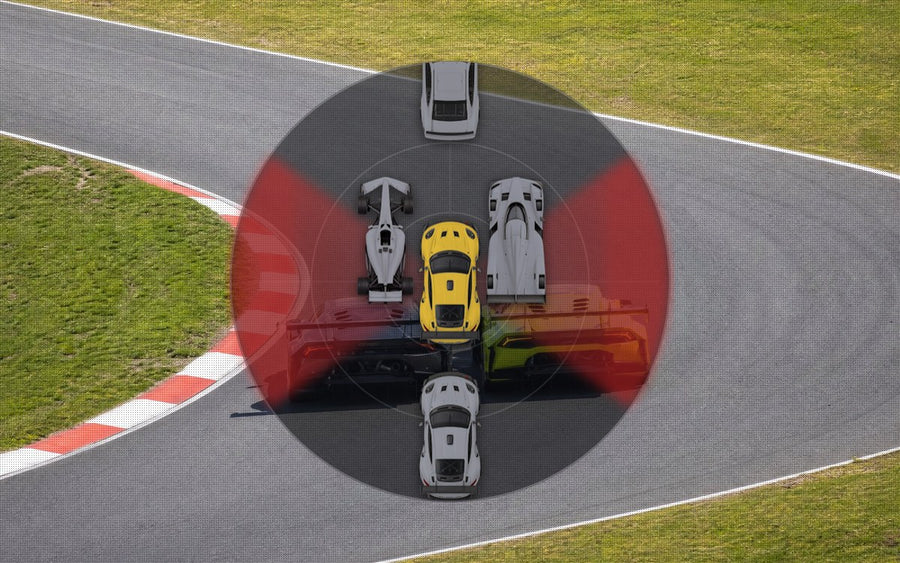 PRO
PROThe cars around you on a round radar, each as its real car, with the side of the one alongside in red.
Read the manual →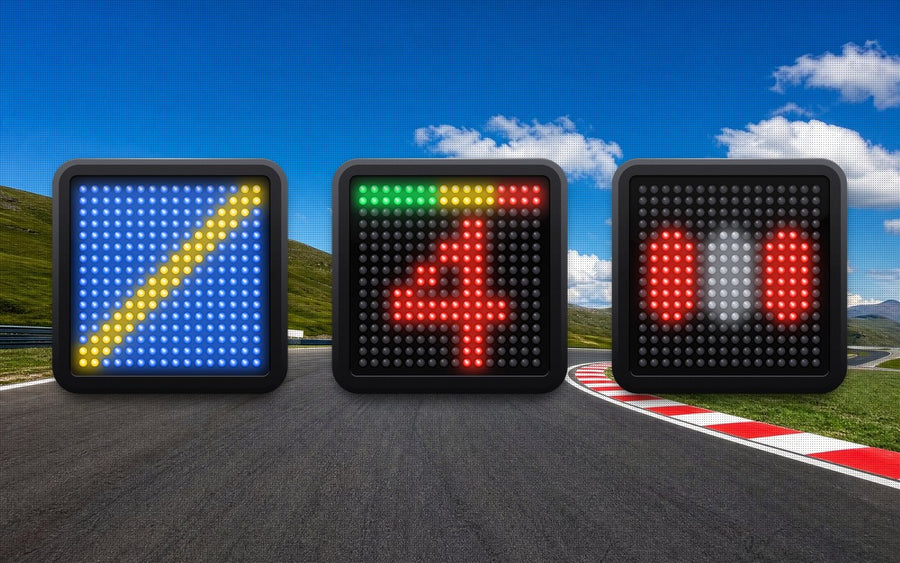 PRO
PROFrom 1 to 4 LED panels: flags, gear with RPM lights, pit limiter, start lights and more.
Read the manual →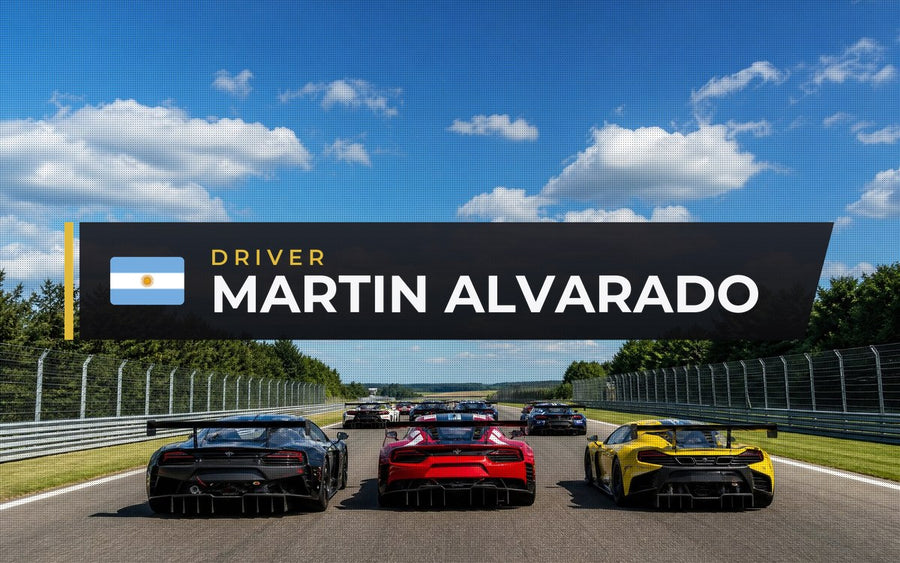 PRO
PROYour name and flag over the game, like on TV broadcasts, in six designs. In team races, whoever is at the wheel.
Read the manual →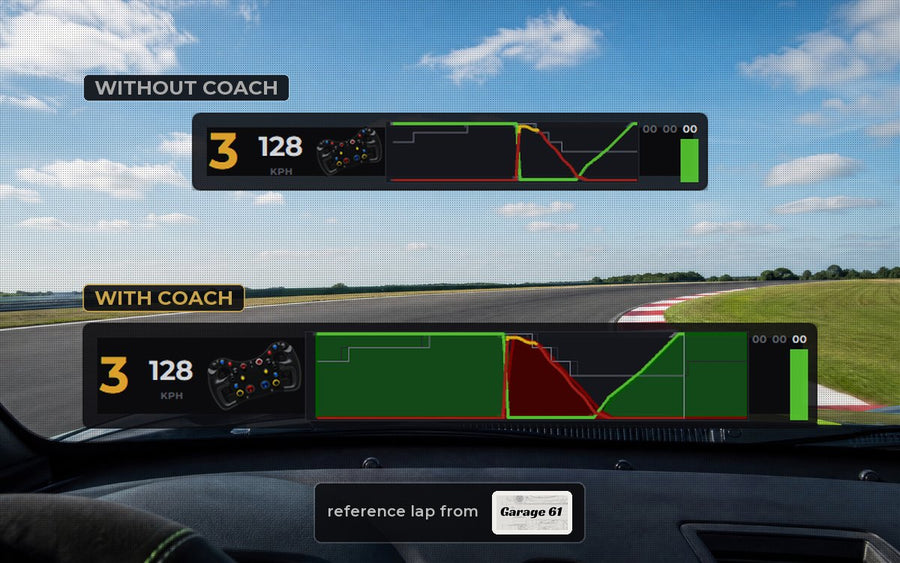 PRO
PROPractice live against a reference lap from Garage 61 and see where the faster driver brakes and accelerates.
 PRO
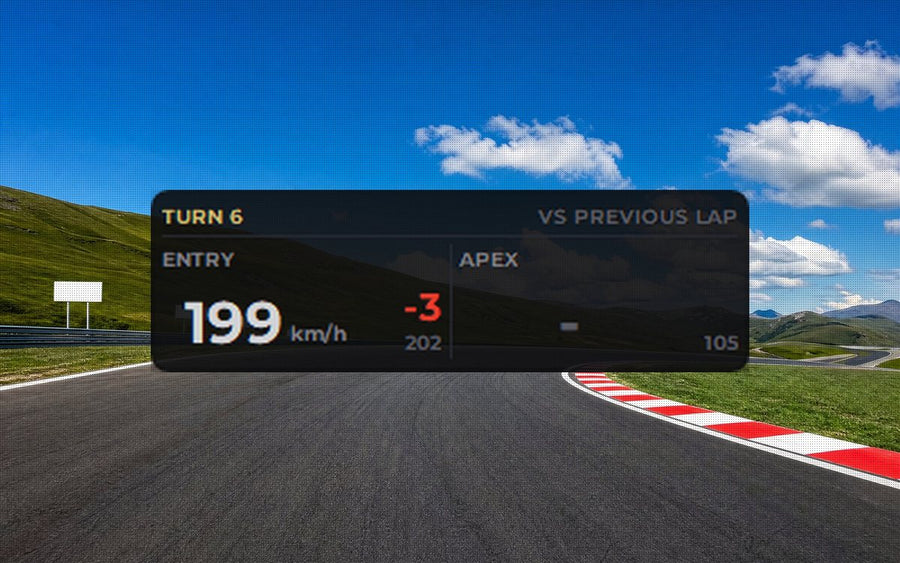
PROEntry and apex speed of every corner, compared with your previous lap or a reference lap.
 PRO
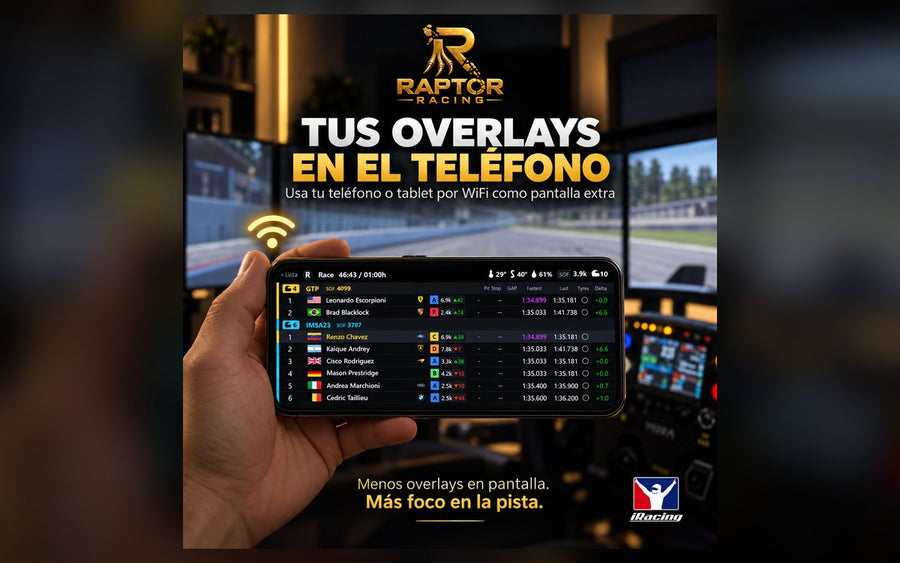
PROYour overlays on your phone or tablet: scan the QR code and you are set, nothing to install, all on your home wifi.
 PROTOOL
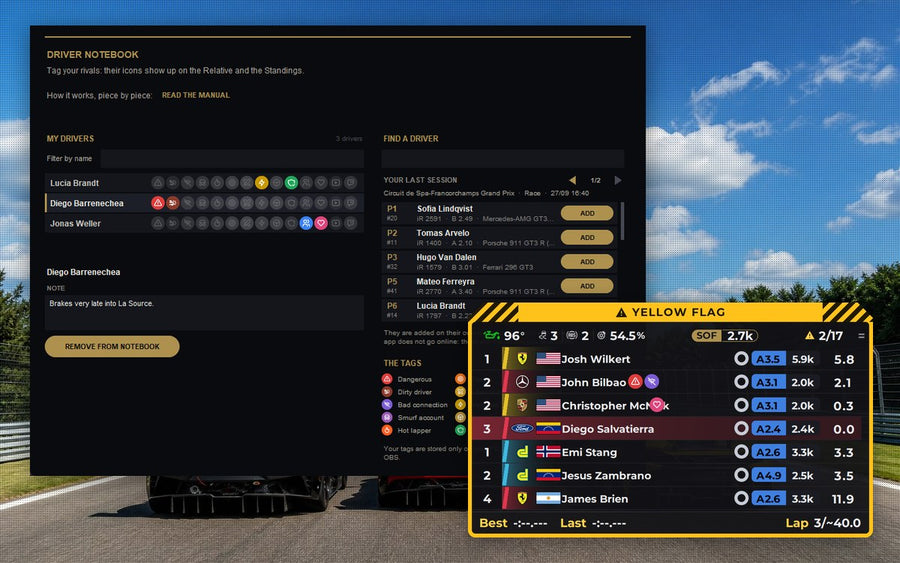
Color tags for your rivals (friend, dangerous, hot lapper and more) that show up on the Relative and the Standings.
Read the manual →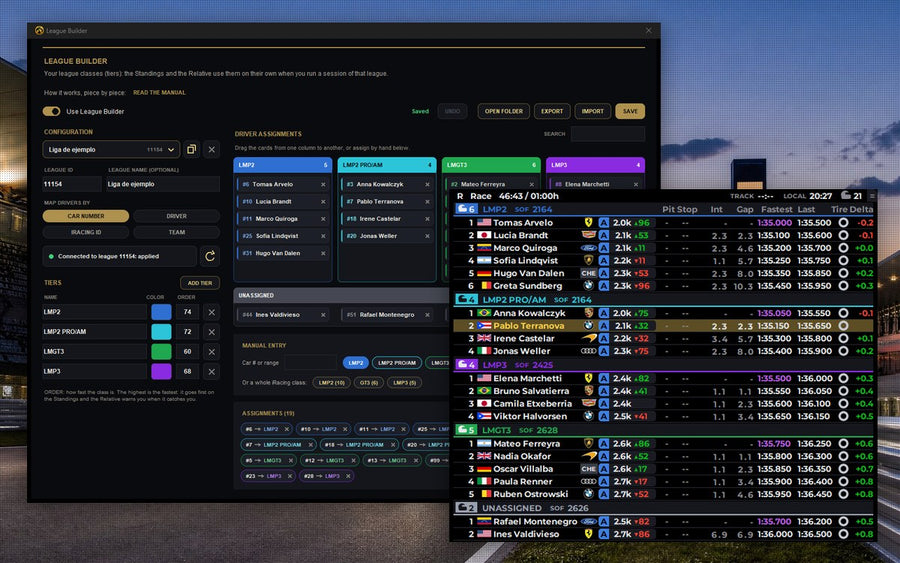 PRONEWTOOL
Your league classes (name, color and order) on the Standings and the Relative. Turn it on with Use League Builder and share it.
Read the manual →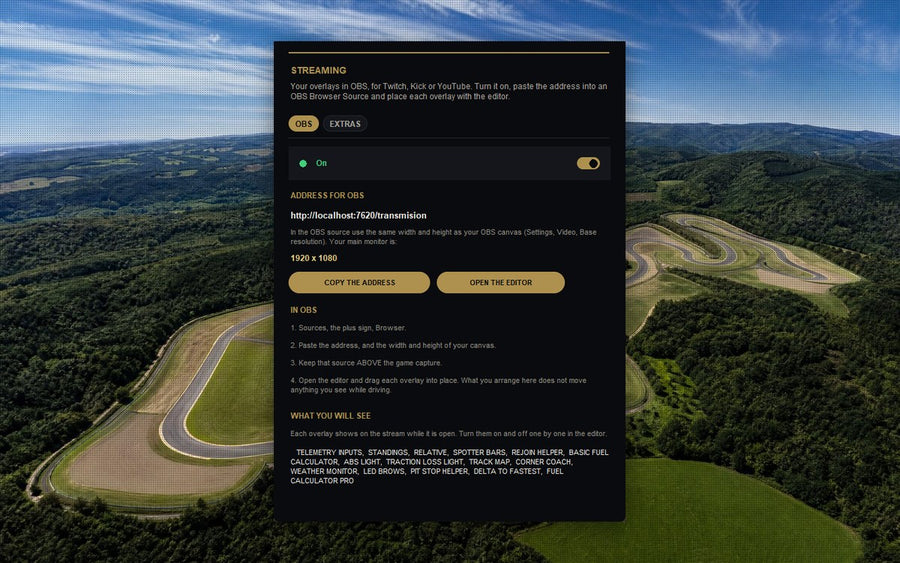 PROTOOL
Your overlays in OBS for Twitch, Kick or YouTube with a single link, placed wherever you want with the editor.
 PROTOOL
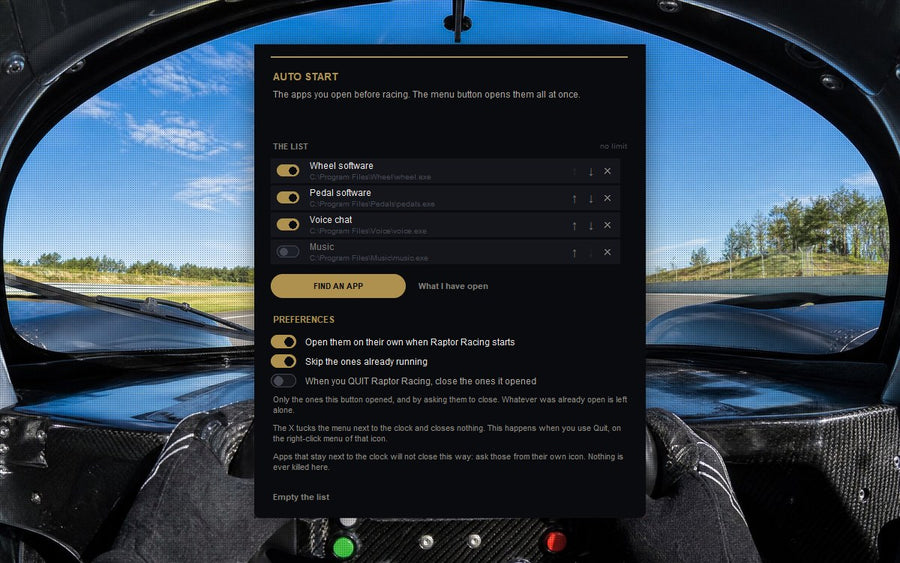
Opens the programs you use before racing all at once, skips the ones already open and can start them on its own.
 PROTOOL
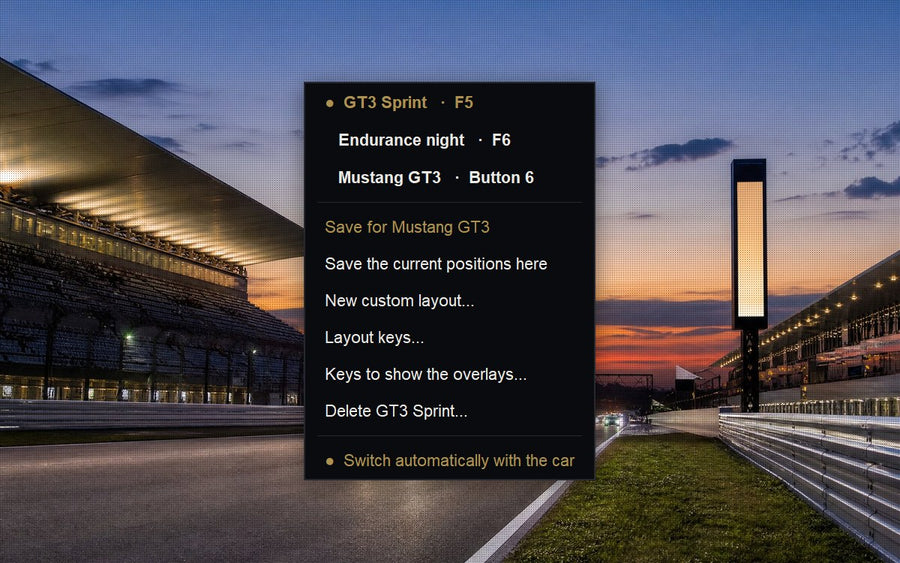
Saves where each overlay goes, switches to each car’s profile on its own and changes with a key or a wheel button.
Lifetime, with no subscription.
 FREE
FREE
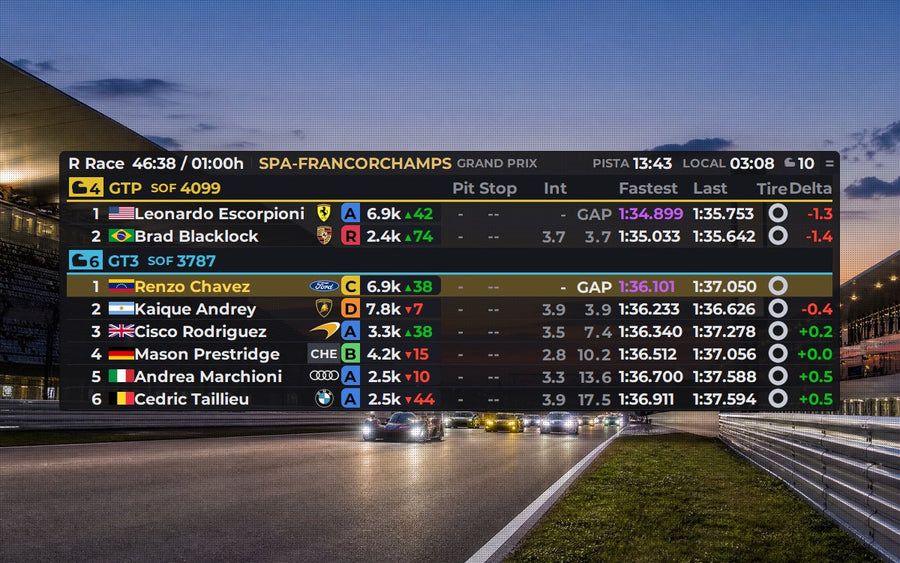
Multiclass standings with live iRating: how much you gain or lose, license, lap times and everyone’s pit stops.
Read the manual →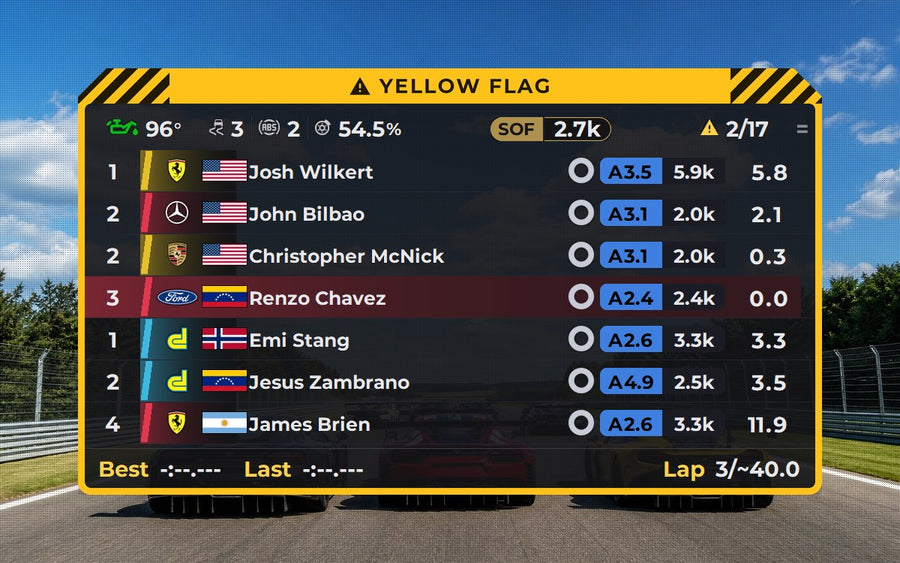 FREE
FREE
The cars around you with the exact gap, class colors, and lapped cars marked in red or blue.
Read the manual →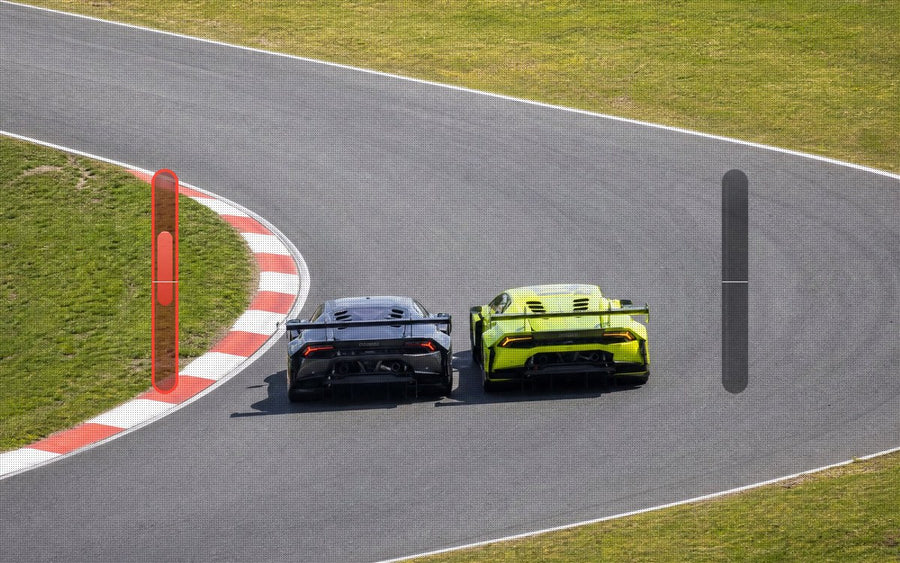 FREE
FREE
Bars on both sides that show exactly how far the car next to you is.
Read the manual →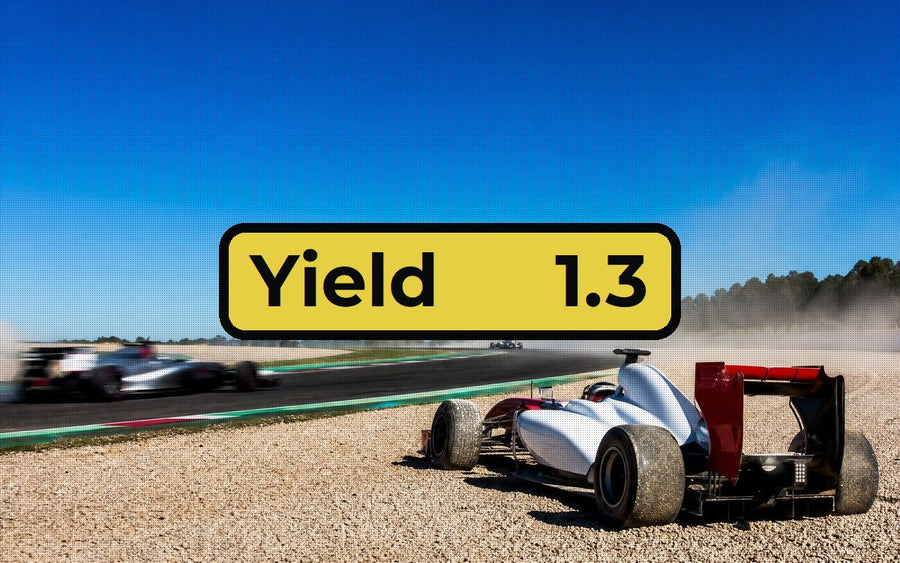 FREE
FREE
Off track, it tells you if you can rejoin (green, orange or red) and the seconds until the next car arrives.
Read the manual →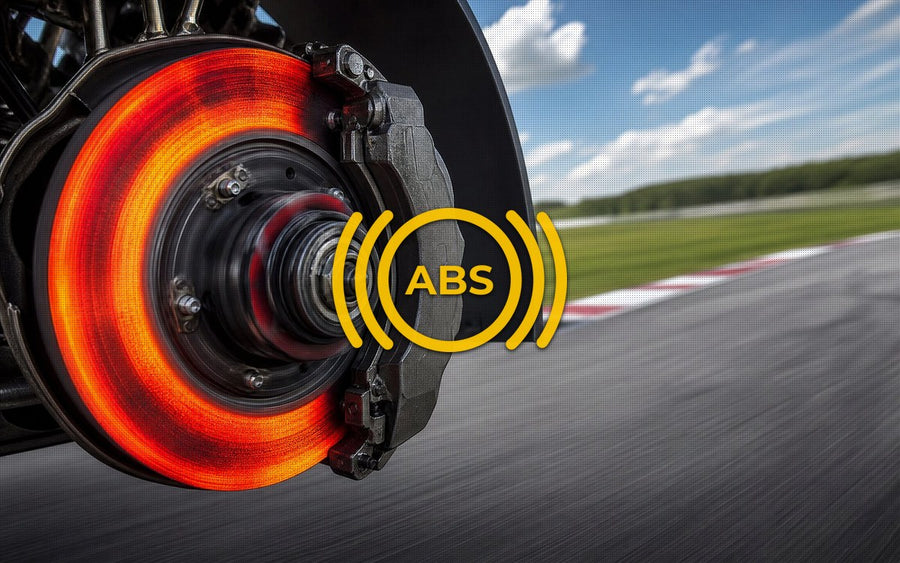 FREE
FREE
It lights up the moment ABS kicks in, so you know how hard you can brake.
Read the manual →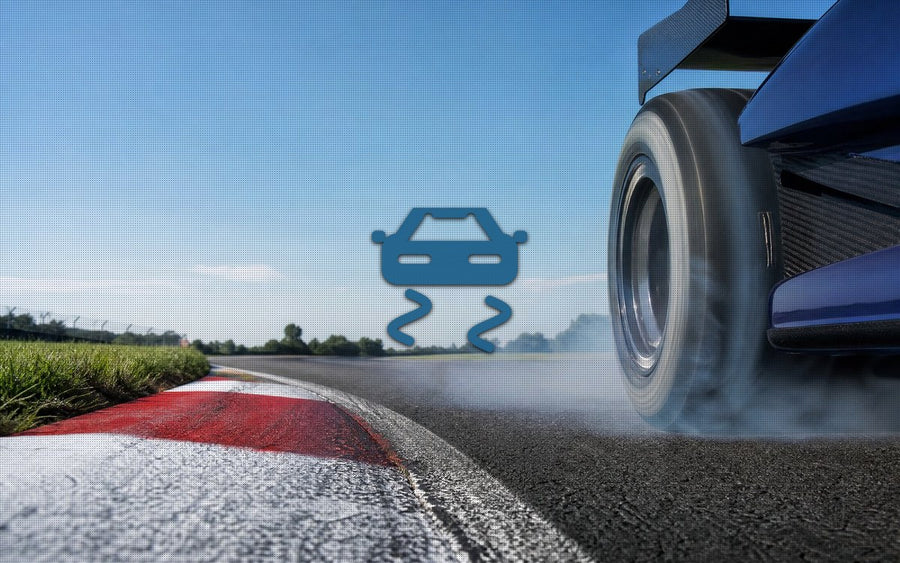 FREE
FREE
It lights up when the wheels start to spin, even in cars without traction control.
Read the manual →Requirements iRacing · 64-bit Windows 10 or 11 · one computer per license
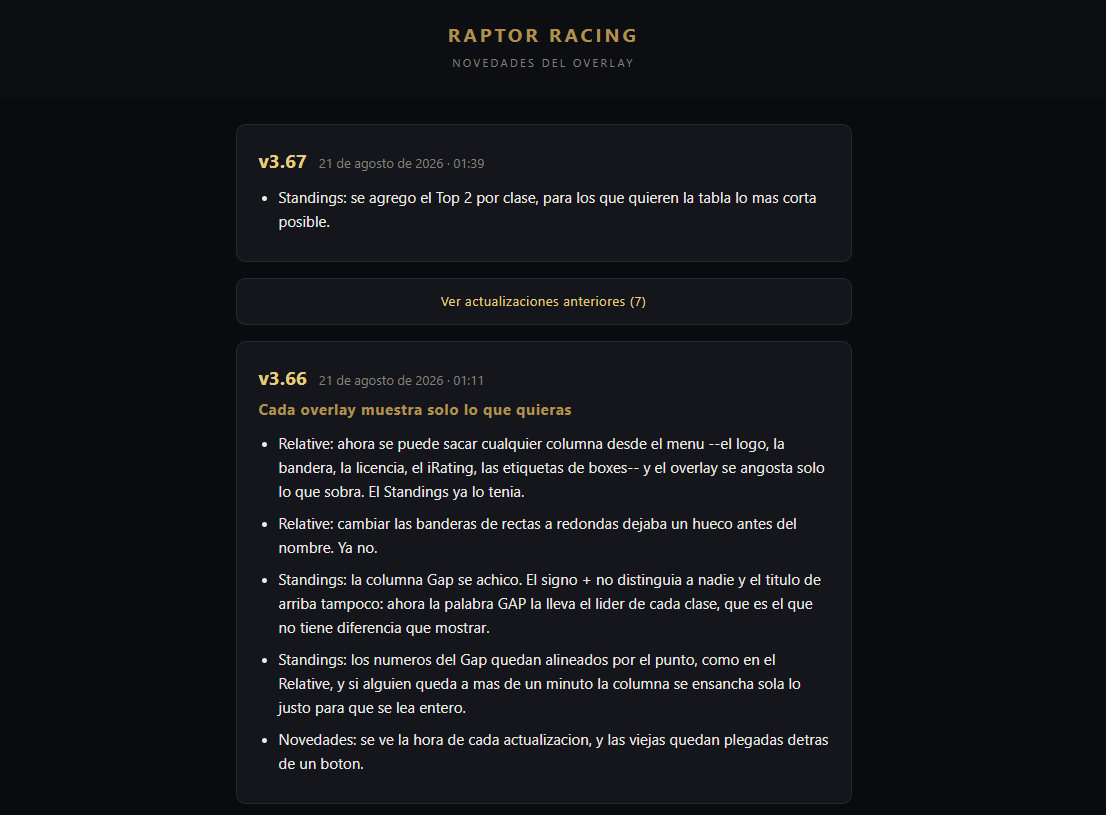
FREE, lifetime and with no subscription: Standings, Relative, Spotter Bars, Track Rejoin, ABS Light and Traction Loss Light, in three languages and with automatic updates.
PRO: everything in FREE, plus every other overlay: Inputs Telemetry, Fuel Calculator PRO (with a basic view and the low fuel warning), Pit Stop Helper, Track Map, Weather Monitor, Tire Strategy, Radar, DigiFlag, Driver Name, LED Bars, Stream chat, Telemetry Coach and Corner Coach. It also adds the wifi connection to watch the overlays on your phone or tablet, Profiles and Layouts, Auto Start and the Driver notebook. It includes every current overlay and the ones still to come.
Yes. The first time you get your FREE license you get 7 days of full PRO, starting when you activate it on your PC. After that it stays on FREE, with no charge and your settings kept. If you upgrade to PRO earlier, the days you have left are added. One trial per person and per computer.
Yes, with the PRO plan. In the menu, under Tools, there's STREAMING: turn it on, paste the address into an OBS Browser Source and place each overlay wherever you want with the editor. It adapts to any resolution, including ultrawide and triple screens.
You can also add the multi chat —Twitch and Kick messages in a single list, with each platform's icon, the name in its own colour and the emotes, no frame and nowhere to type—, your stream's embedded chat, an image that covers your setup while the garage is open, a muted-microphone alert and OBS stats.
It’s a PRO plan tool. In the menu, under Tools, open the Driver notebook and put coloured tags on other drivers —Dangerous, Dirty driver, Bad connection, Smurf account, Hot lapper, Target, Likes to battle, Very fast, Real-life driver, Clean driver, Teammate, Friend, YouTuber and Twitch— and add your own notes. When you race them again, their icons show in the Relative and the Standings, right after the name or outside the overlay, on the left or the right. They also show on your phone and in your OBS stream.
The app records the drivers of every session on its own, so you tag them after the race, picking them from the ones you’ve raced with. Everything stays saved on your PC only. On the FREE plan the icons don’t show, but your notebook is kept; the 7-day PRO trial includes it. Step by step in the Driver notebook manual.
It's a digital product, nothing is shipped. Once the order is confirmed you'll get an email within seconds with your license key and the installer link, with a step-by-step guide.
PRO can be cancelled at any time from your account. You won't be charged again and you keep access until the paid period ends. FREE never expires.
Yes, 3 days. If you're not happy, you have 3 days from subscribing to ask for a full refund, no questions asked. Write to [email protected].
After those 3 days we don't refund periods already billed, since it's a digital product with immediate access. If something doesn't work, write to us and we'll fix it.
The license is for one computer. Formatting costs you nothing: if you change the disk or the motherboard, it keeps working.
Your license stays lifetime, with access to everything and at no extra cost.