PRO
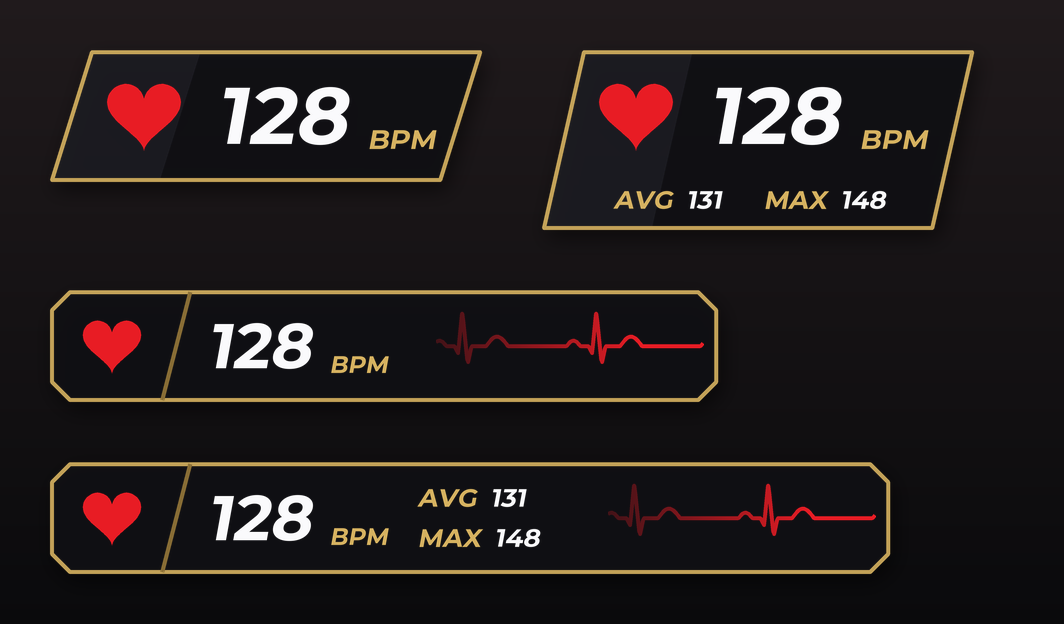
Your heart rate over the game, with a heart beating at your pace. A PRO plan overlay of Raptor Racing Overlay.
Both designs, with the average and maximum turned on below.
The heart: beats at your pace. With no data it stays gray and still.
The number: your beats per minute. With no data, a dash.
The line: the running heartbeat, on the bar only.
What you need
- A chest strap or a watch that broadcasts its heart rate over Bluetooth.
- A PC with Bluetooth.
- It is part of the PRO plan.
How to connect
- In the menu, turn on HEART RATE.
- Put on the strap, or turn on heart rate broadcast on your watch.
- Click SEARCH FOR DEVICES and choose yours. It is remembered.
The settings
- DESIGN
- Plate, or bar with the heartbeat line.
- Average and maximum
- Optional. Those of the current session: they start over each session and are not saved.
- SIZE and OPACITY
- Size, background and data, like the other overlays.
- Phone and OBS
- It also shows there, with the same switch as all the others.
Your data
- Your heart rate goes straight to your PC. It is not saved and does not leave it, except what you show on your phone or OBS.