Which tire to start on, and when to switch from rain to dry or from dry to rain, before everyone else. Overlay of the Raptor Racing Overlay PRO plan.
It watches how wet the track is and whether it is raining, and tells you which tire is right: STAY on the one you have, GET READY with the countdown, or SWITCH, with the seconds per lap you would gain. Before the race, it tells you which tire to start on.
It only reads iRacing data: it never requests tires or touches your car.
12345
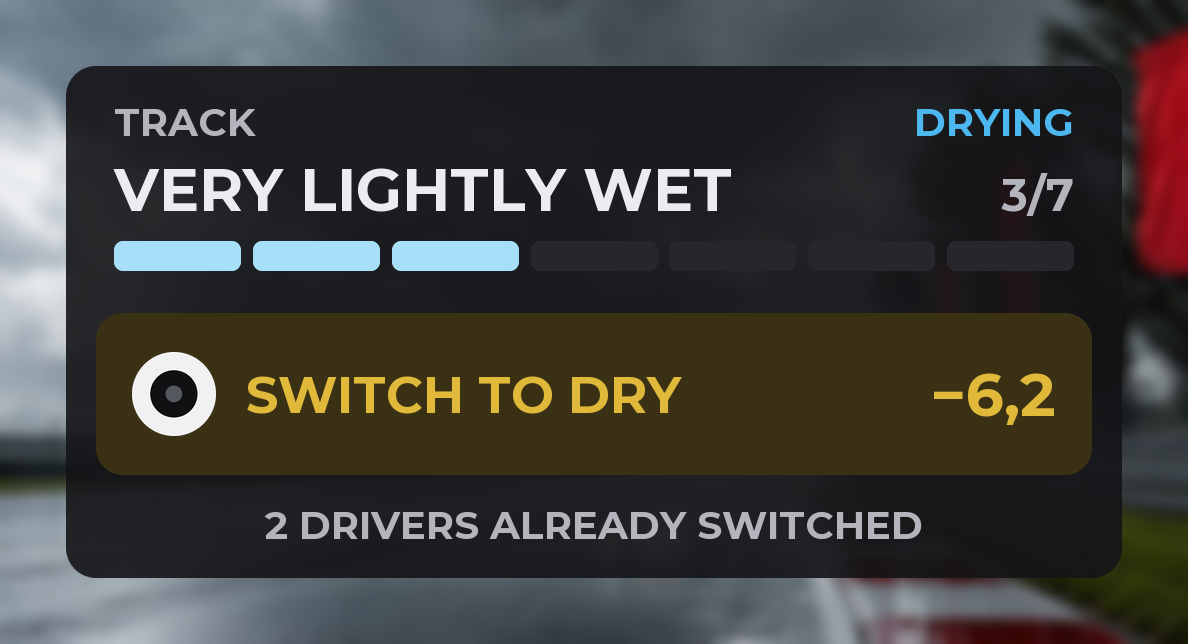
The Card, the default design: the track has been Very lightly wet for eight minutes and switching to dry now pays off.
1Where the track is heading: DRYING, GETTING WETTER or NO RAIN.
2How wet it is: the iRacing level, from Dry to Extremely wet, its number (1 to 7) and the bar.
3What to do, with the tire (blue for rain, white for dry): STAY in gray, GET READY in amber with the minutes, and SWITCH in pulsing amber.
4The gain: the seconds per lap you gain with the other tire. With ~ it is an estimate; with -- there is nothing to gain or no number yet.
5The drivers in your class who already switched: information only, they never change the alert. For a few seconds, FASTEST ON DRY (or ON RAIN) also shows there: the fastest lap among those who already switched, with their number and time.
Which tire to start on
Before the race it tells you which tire to start on.
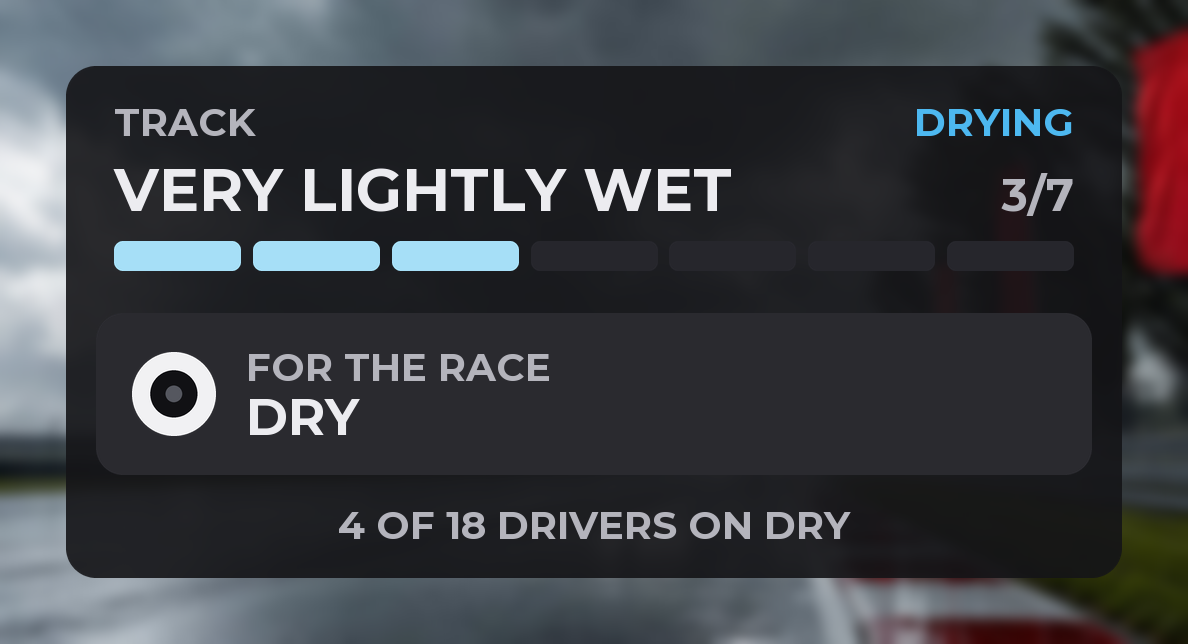
FOR THE RACEIn qualifying, stopped in the garage or in the pits, it tells you ahead which tire to start the race on. On track the usual indicator comes back.
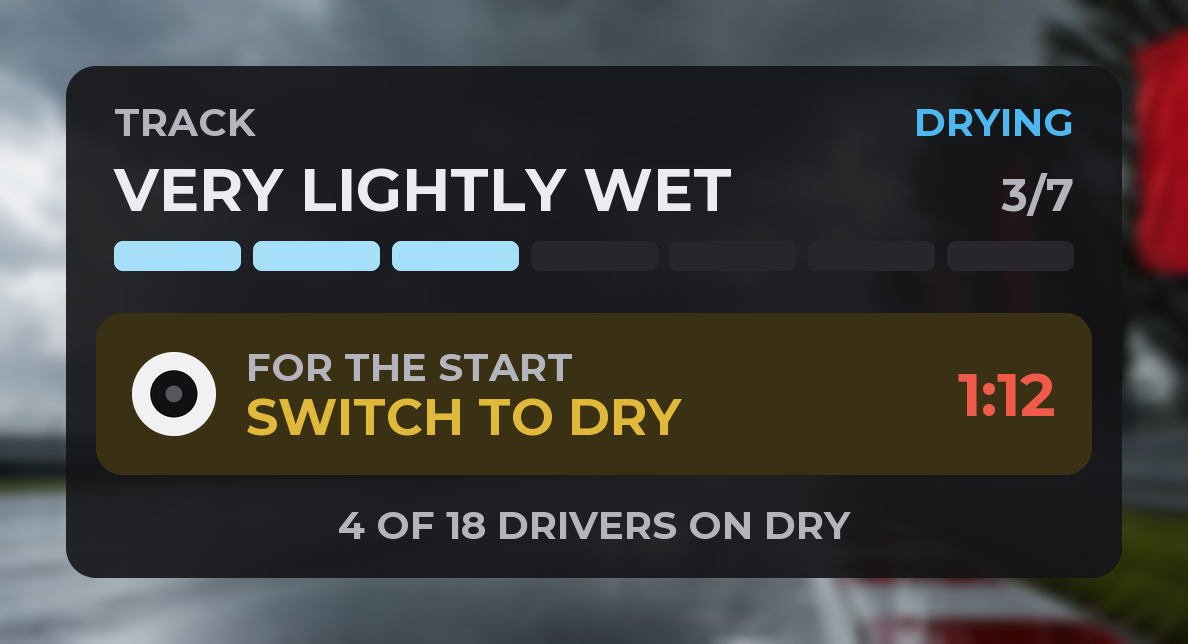
FOR THE START: SWITCH TO DRYBefore the race, with the wrong tire fitted. The red countdown is the safe time you have left to go to the garage and change it. It pulses until you change it.
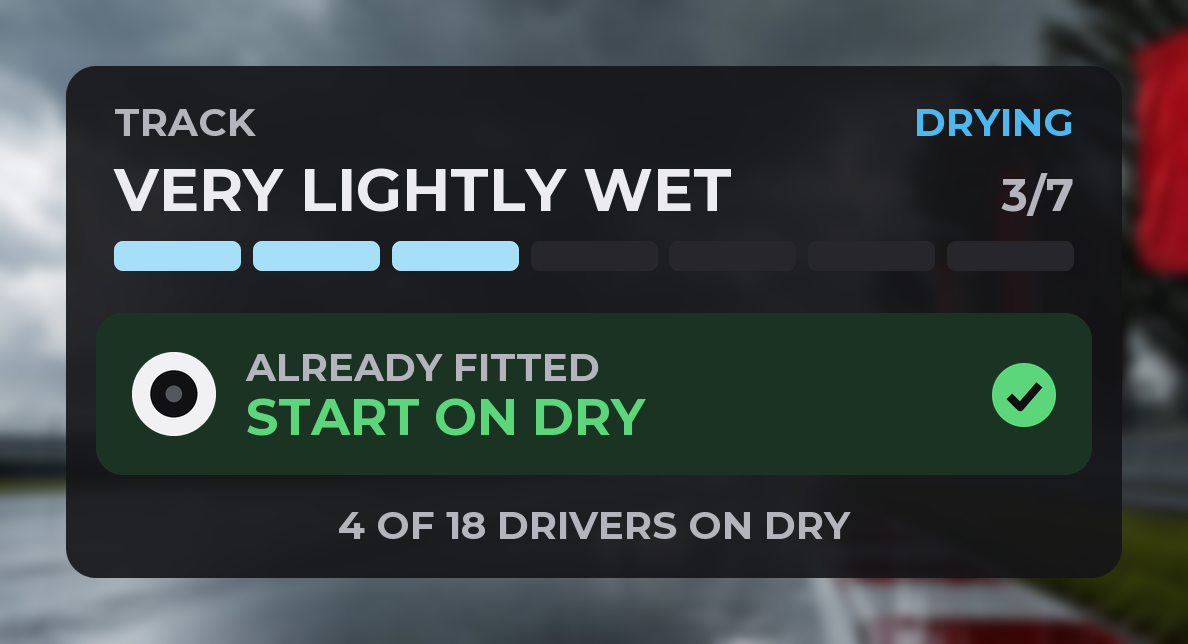
START ON DRYYou already have the right tire fitted: green, with the check mark.
At the bottom, how many drivers in your class have that tire.
The two designs
The Card, the default, is the one above. Pick one in DESIGN, in the settings, or with right-click, Design. If you used an earlier design, it switches to the closest one by itself.
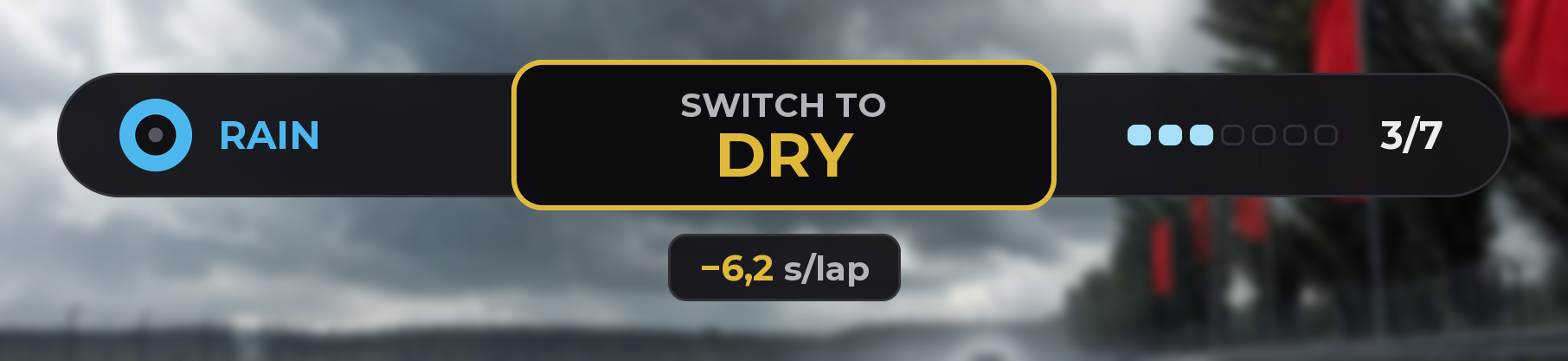
BarIn one line: the tire you have on, what to do and the track level. Below, the gain; before the start, the countdown or the drivers. For when there is little room.
The track levels
They are iRacing's seven: Dry, Mostly dry, Very lightly wet, Lightly wet, Moderately wet, Very wet and Extremely wet.
From rain to dry
STAY ON RAIN: rain tires are still the right call.
GET READY: DRY IN ~14 MIN: dry tires will pay off soon; the minutes are roughly how long is left.
SWITCH TO DRY: dry tires pay off now. It pulses until you request the tire.
DRY REQUESTED IN PITS: you already requested them in iRacing's pit menu. It stops pulsing.
From dry to rain
STAY ON DRY: dry tires are still the right call.
GET READY: RAIN: it started raining and rain tires will pay off soon.
SWITCH TO RAIN: rain tires pay off now.
RAIN REQUESTED IN PITS: you already requested them. It stops pulsing.
The gain
The seconds per lap you would gain with the other tire, not counting the pit stop.
When it shows
Always while you drive, also in the dry. In the garage it shows when it tells you which tire to start on; the rest of the time, and in replays, only if you ask for it in WHERE IT SHOWS.
Also on your phone or tablet (WIFI CONNECTION) and in OBS (STREAMING).
Controls and settings
Right-click on the overlay: Design (Card or Bar), Overlay size, Show the drivers who already switched, Show the seconds per lap, Pulse when it is time to switch, Also show it in the garage, Also show it in replays, Allow moving the overlay, Background opacity and Close overlay.
In the Raptor Racing Overlay menu: DESIGN (one click picks it), SIZE (75% by default), BACKGROUND OPACITY, DATA OPACITY, WHAT SHOWS, WHERE IT SHOWS and SEE IT ON YOUR PHONE.
Moving it: with Allow moving the overlay you drag it; in move mode (MOVE, in the menu) you resize it from a corner.
Tips
Before the start, look at the overlay: if it says SWITCH TO, go to the garage before the countdown reaches zero.
Do not switch the moment the track turns Very lightly wet: wait for SWITCH.
Request the tire in the pit menu before you pit: the overlay stops pulsing.

 1
2
3
4
5
1
2
3
4
5