PRO
Your overlays on your phone or tablet, over the same wifi network. A PRO plan tool of Raptor Racing Overlay.
 123456
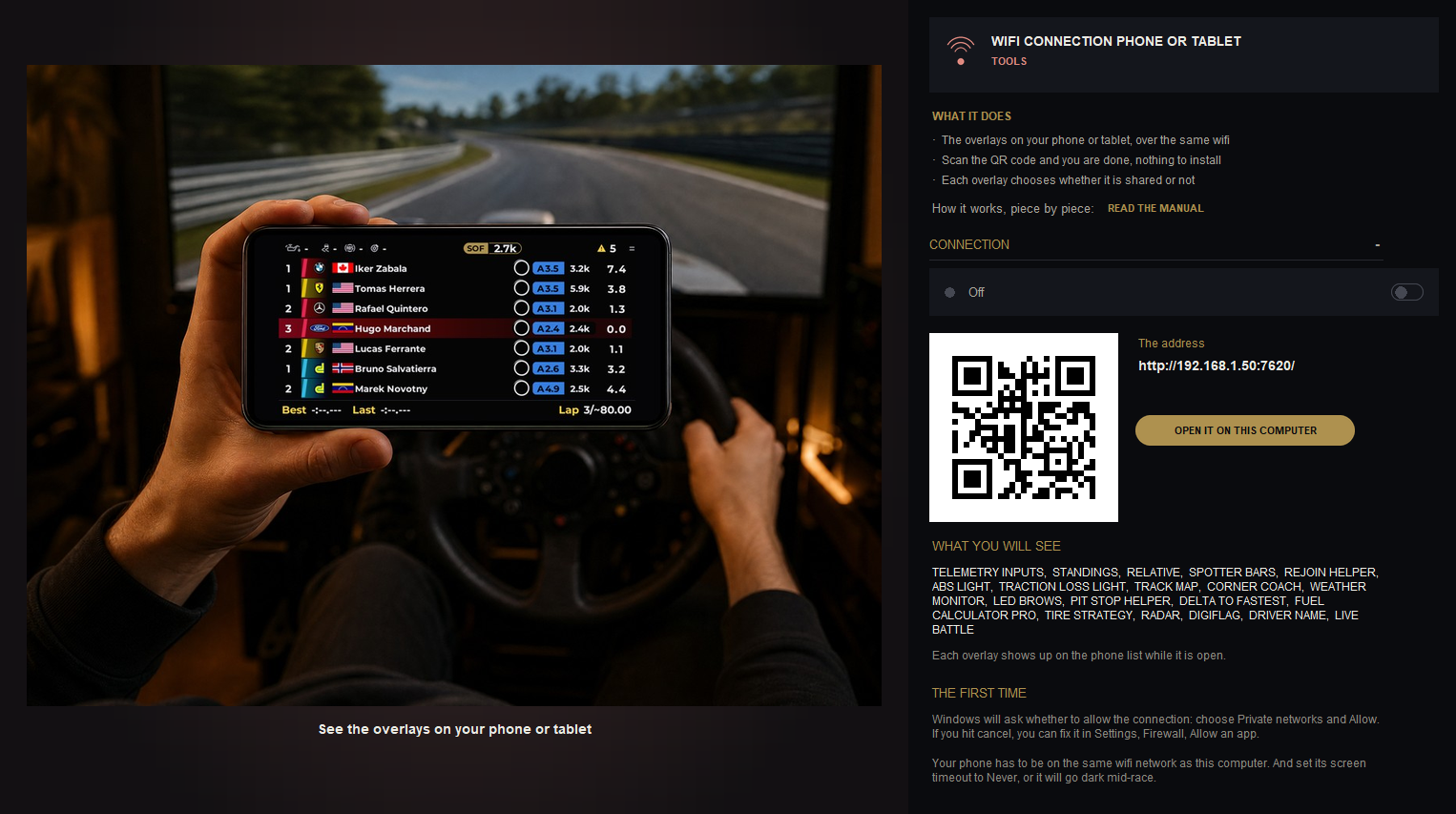
The Wifi connection screen in the menu.
- 1The switch: turns the connection on.
- 2The QR code: scan it with the camera.
- 3The address: the same, to type it in the browser.
- 4OPEN IT ON THIS COMPUTER: the list, in the PC browser.
- 5WHAT YOU WILL SEE: the shared overlays.
- 6THE FIRST TIME: what Windows asks.
WAITING SCREEN: what the phone shows while iRacing sends no data: your logo, name and flag.
How to use it
- In the menu, TOOLS group: WIFI CONNECTION, and turn the switch on.
- Put the phone or tablet on the same wifi network as the computer.
- Scan the code and choose which overlay to watch. The open ones show.
- At the bottom of the screen is the menu with FULL SCREEN.
Good to know
- Each overlay decides whether it is shared: See it on my phone or tablet, in its settings.
- If Windows asks, choose Private networks and Allow.
- Set the phone's screen timeout to Never.